
Fill long forms in one click.
FillKaro is a free form filler for Chrome. Save your details once and fill government exam, job, admission and scholarship forms in seconds — in English, Hindi or Bengali. It never submits for you and keeps everything on your device.
Add to Chrome — it’s free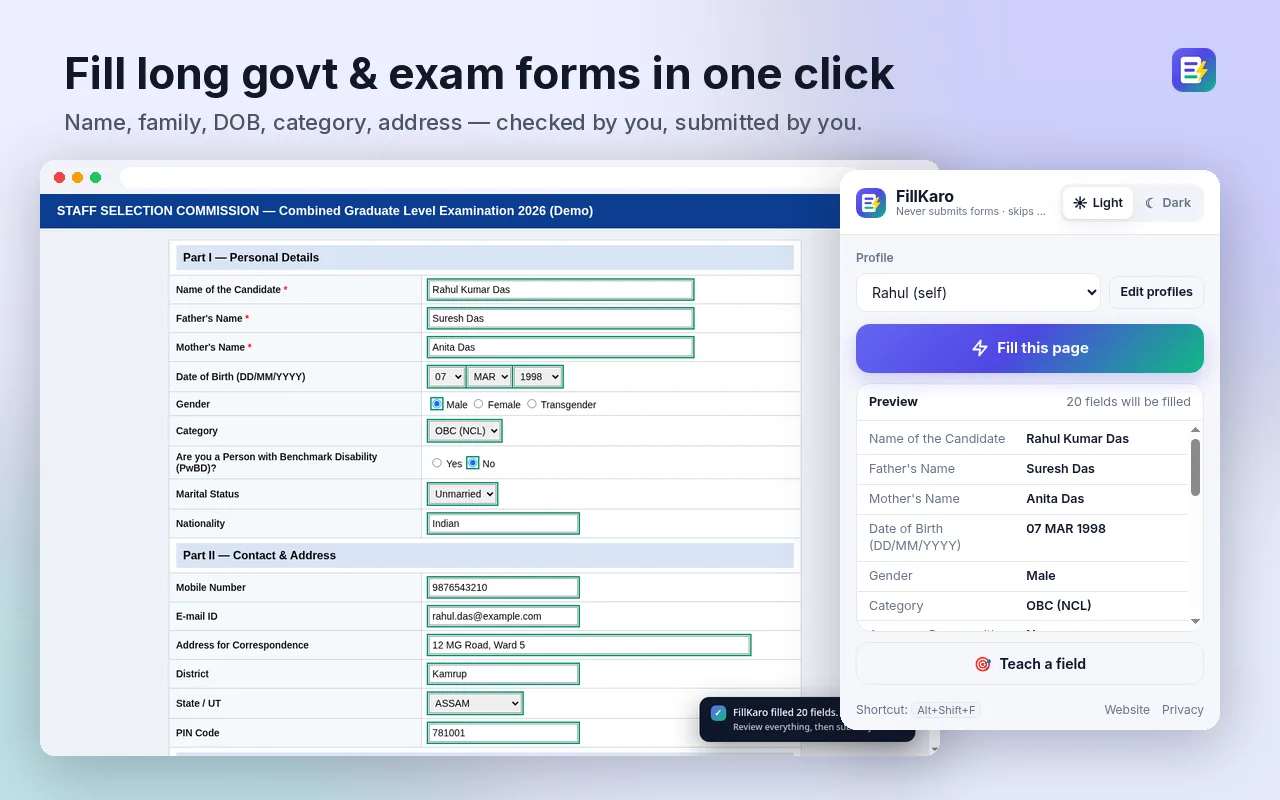
What FillKaro does
One click fills the whole form
Name, parents' names, date of birth, gender, category, address, district, state and PIN — text boxes, dropdowns, radio buttons and checkboxes. A preview in the popup shows what will be filled first.
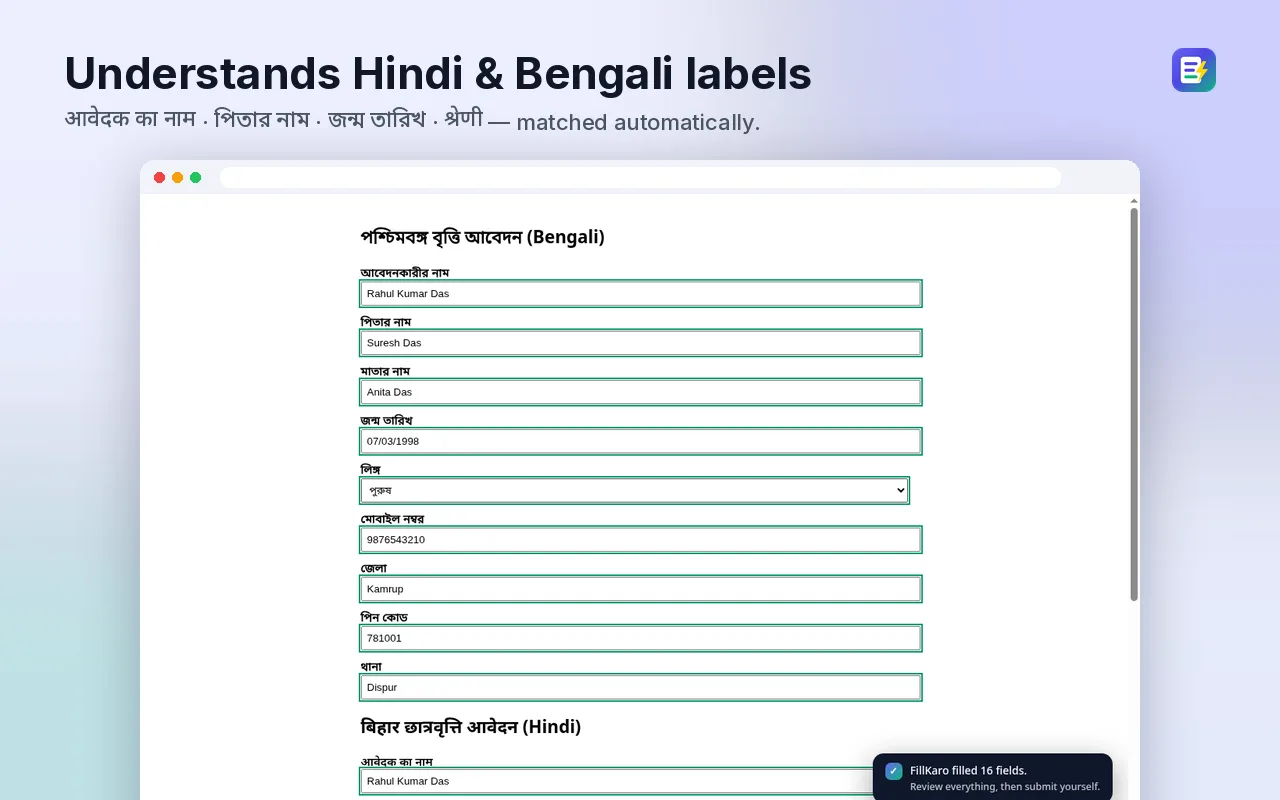
Understands Hindi and Bengali labels
“पिता का नाम”, “জন্ম তারিখ”, “पिन कोड” — FillKaro matches labels in English, Hindi and Bengali, including state names like असम / আসাম.
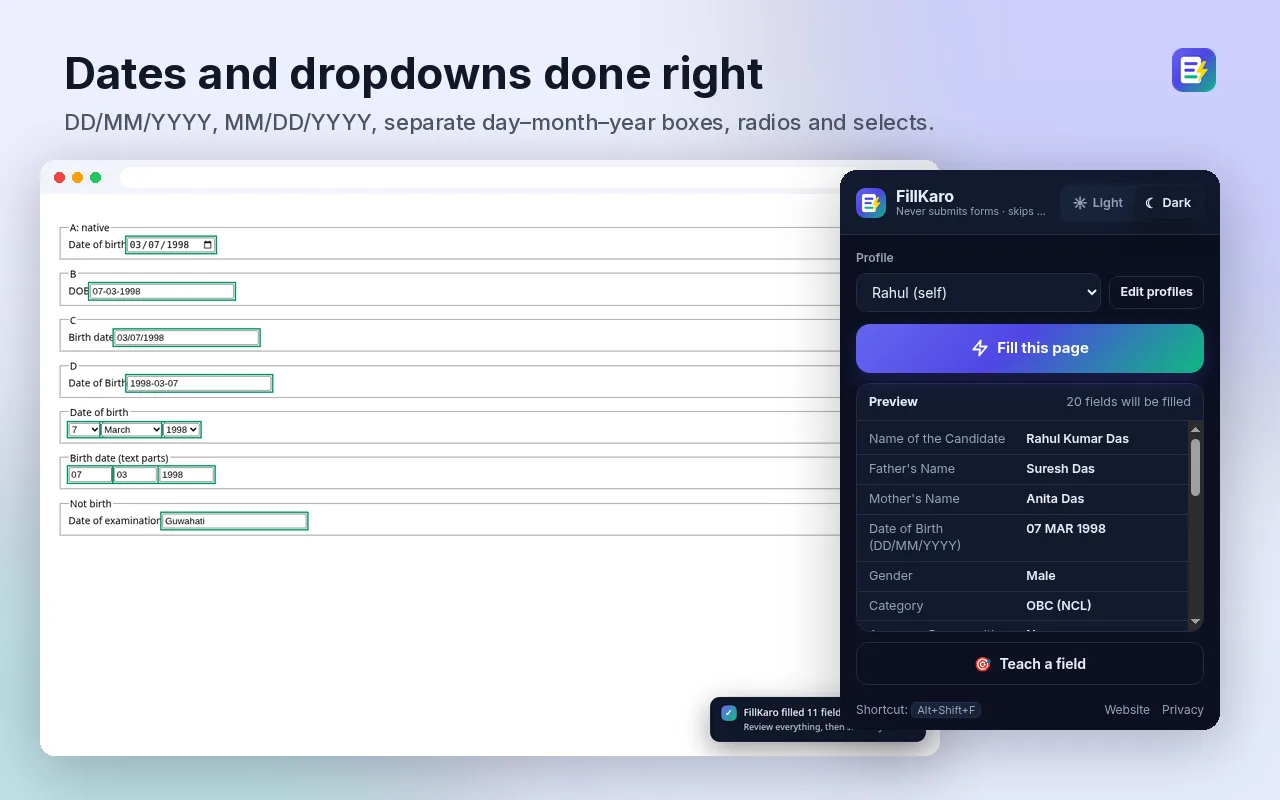
Dates in any format
DD/MM/YYYY, separate day–month–year dropdowns, MAR or March, date pickers — handled. Light and dark themes.
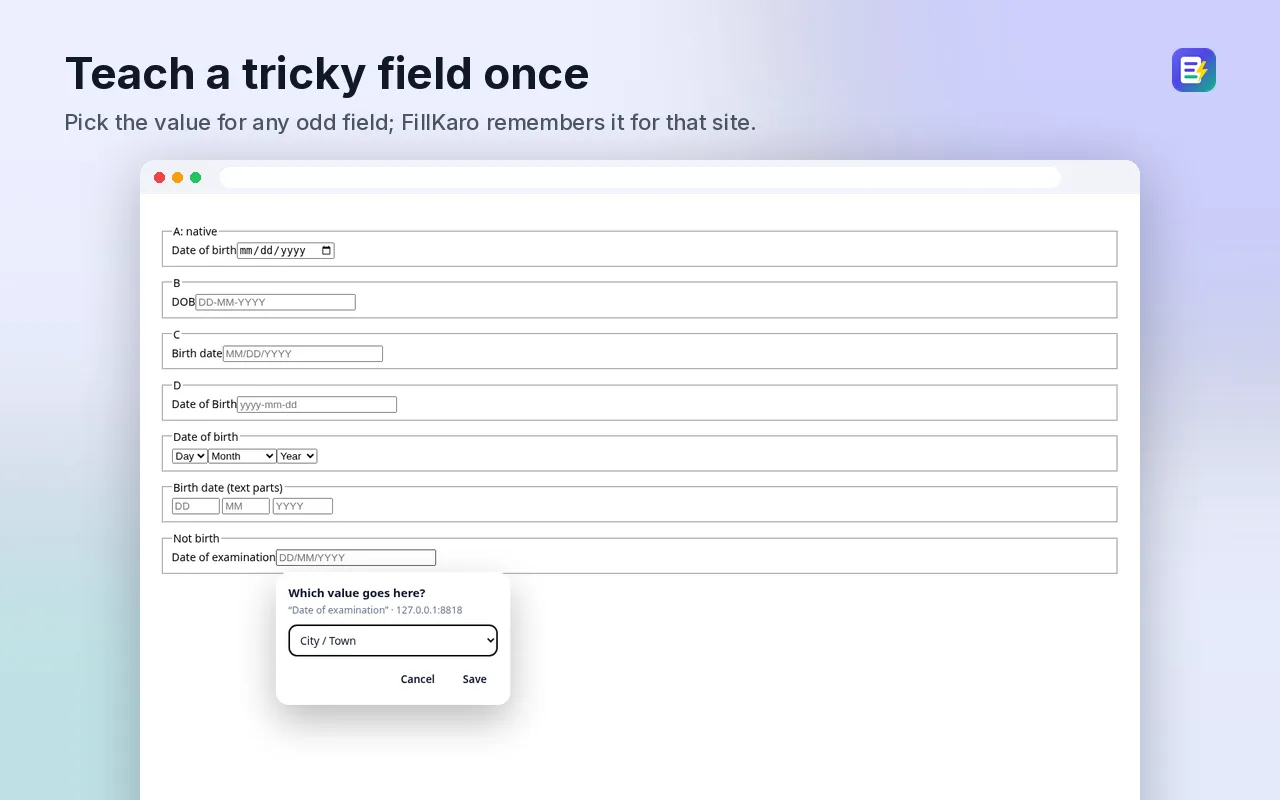
Teach a field once
If a portal uses an odd label, right-click → “Teach this field” and pick what goes there. FillKaro remembers it for that site.
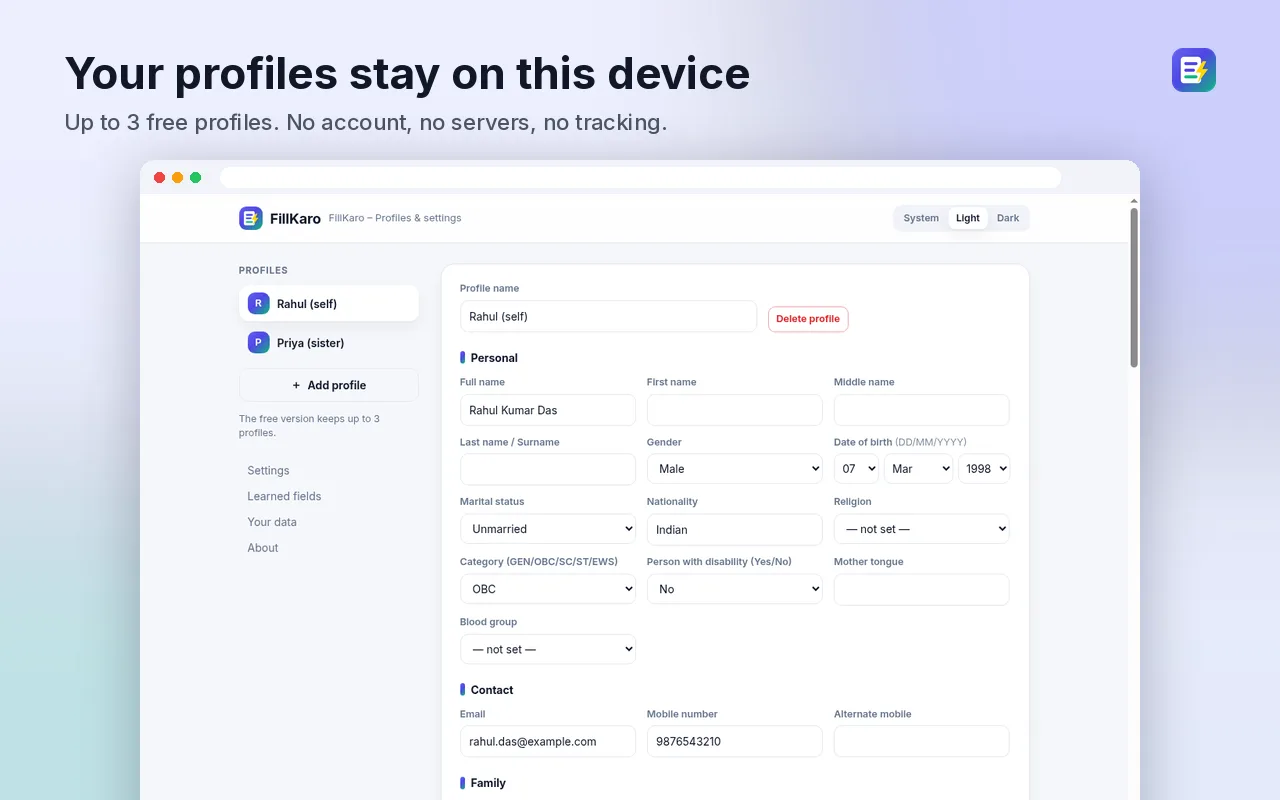
Up to 3 profiles
Keep separate profiles for yourself and family members. All stored only in your browser.
How it works
1. Save your details
Open Options and fill your profile once.
2. Open a form
Click the FillKaro icon, check the preview, press Fill — or use Alt+Shift+F.
3. Review and submit
Check every field, enter OTP/captcha yourself, then submit.
Frequently asked questions
Does FillKaro submit the form for me?
No, never. FillKaro only types into fields. It does not click Submit, Next or any button. You check everything and submit yourself.
Does it fill passwords, OTP or captcha?
No. Password, OTP, captcha and card or payment fields are always skipped, and so are declaration checkboxes you are meant to tick yourself.
Where is my data stored?
Only in your browser (chrome.storage.local). FillKaro makes no network requests, has no servers, no account and no analytics. See the privacy policy.
What about Aadhaar, PAN and other ID numbers?
They are off by default. If you turn on ID filling in Options, the numbers are shown masked in the popup and only filled after you allow it.
Which forms does it work on?
Most normal web forms: government exam and job portals, admission and scholarship forms, college and bank KYC-style forms, and modern React/Angular sites. It understands English, Hindi and Bengali labels. Some portals use unusual layouts; if a field is missed, use “Teach this field” once and FillKaro remembers it for that site.
Is it free?
Yes. Unlimited fills and up to 3 profiles, with no account.
Guides: Autofill govt exam forms · সরকারি ফর্ম এক ক্লিকে · हिंदी फॉर्म ऑटोफिल