How to Reduce Photo Size to 20KB–50KB for Online Forms
Exam and job application forms are strict about photos. A typical notice says something like: “Photograph: JPG, 20KB to 50KB, 3.5cm × 4.5cm. Signature: 10KB to 20KB.” A phone photo is usually 2–4MB and several thousand pixels wide, so it is rejected straight away. Some portals also reject a file that is too small, which is why many “compress to 20KB” tools still fail.
This guide shows how to get a photo between 20KB and 50KB, and a signature between 10KB and 20KB, with the right pixel size, using the Compress Image tool in the free Patla PDF extension for Chrome. Everything runs in your browser; the photo is never uploaded.
Before you start
- Read the exact rule in your official notification: minimum and maximum KB, pixel or centimetre size, and format (almost always JPG).
- Crop the photo first so it shows your face and shoulders on a plain light background. Any phone gallery editor can crop.
- For a signature, sign in black ink on white paper, photograph it in good light and crop tightly around the signature.
- Install Patla PDF from the Chrome Web Store.
Step by step
- Open Compress Image. Click the Patla PDF icon, open the app and choose the Compress Image tab.
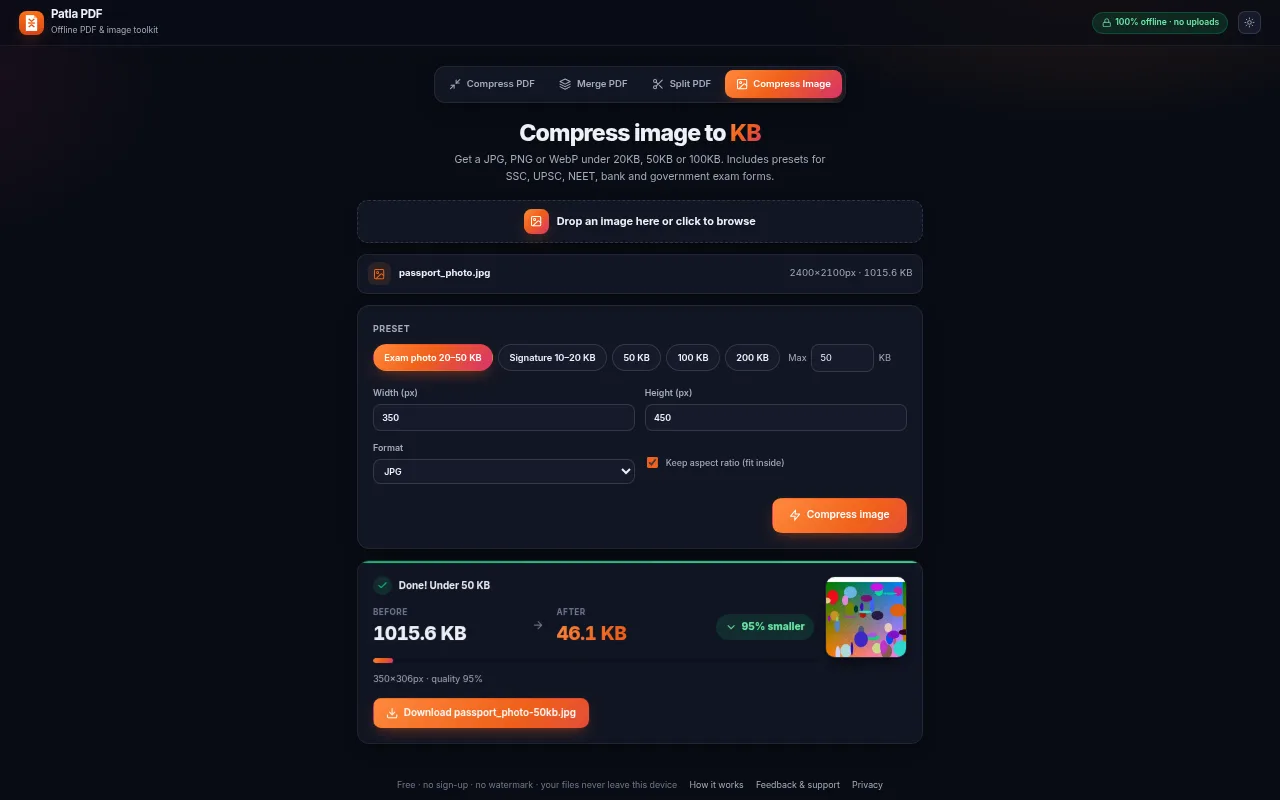
- Add your photo. Drop a JPG, PNG or WebP image. Its current size and dimensions are shown.
- Choose a preset. Click Exam photo 20–50 KB for a photograph (it suggests 350 × 450 px) or Signature 10–20 KB for a signature (400 × 200 px). For other limits use the 50 / 100 / 200 KB chips or type a custom Max KB.
- Set the pixel size if the form asks for it. Enter the required width and height. Keep Keep aspect ratio ticked so the face is not stretched. If the form gives centimetres, a common conversion is 3.5 × 4.5 cm ≈ 350 × 450 px at 254 DPI; follow your notice if it states pixels.
- Keep the format as JPG. Most government portals only accept JPG/JPEG. Use WebP only when it is explicitly allowed.
- Compress and download. Click Compress image, check the final KB shown, then download and upload it to the form.
Common photo and signature limits
Limits change between notifications, so always check your own, but these ranges are common:
| Item | Typical size | Patla PDF setting |
|---|---|---|
| Passport-size photo | 20–50KB, JPG | Exam photo 20–50 KB preset |
| Signature | 10–20KB, JPG | Signature 10–20 KB preset |
| Thumb impression / declaration | 20–50KB or up to 100KB | 50 KB or 100 KB chip |
Why does my photo get rejected even under 50KB?
- Too small: many forms need at least 20KB (photo) or 10KB (signature). The presets aim for the minimum as well as the maximum.
- Wrong dimensions: enter the exact width and height asked for.
- Wrong format: a PNG renamed to .jpg is still a PNG inside. Export as JPG.
- Blurry face: start from a sharp, well-lit original and crop tightly; a smaller crop gives more detail at the same KB.
Privacy
Your photo and signature are personal identity documents. Patla PDF processes them locally in the browser, has no server, and makes no network requests, so they are never uploaded or stored anywhere except where you save them. Read the privacy policy.
Summary
Open Compress Image, drop the photo, pick Exam photo 20–50 KB (or Signature 10–20 KB), set the pixel size if needed, keep JPG and download. It takes under a minute, and the form accepts it the first time far more often.